
SWISSLOS
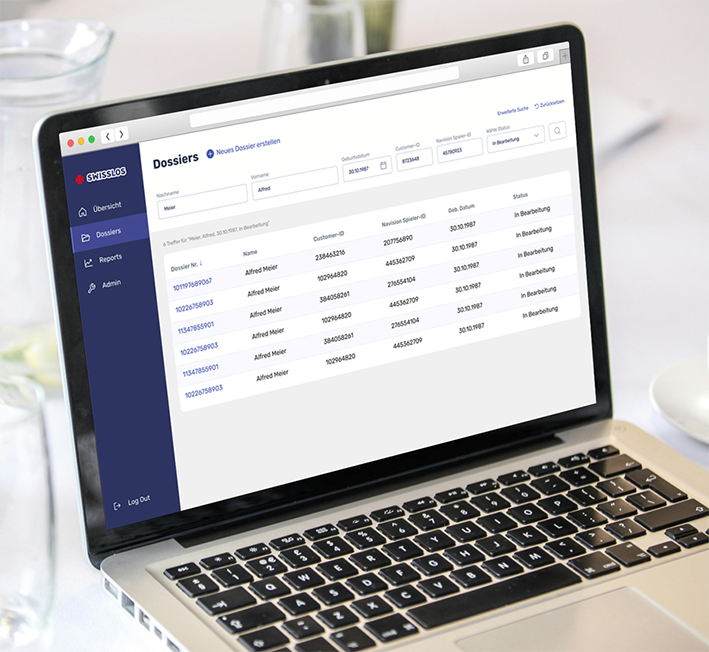
Regulated Case Management Desktop Prototype
Turning highly regulated Excel specifications into a structured, component-driven desktop interface for complex case handling.
Designed for a compliance-heavy environment, the work focused on translating strict validation rules, terminology and documentation requirements into a clear, operable UI system.
The goal was to reduce ambiguity, align stakeholders, and create a consistent interface foundation that could scale into implementation.
Project Scope
Translating two regulated case workflows into a structured desktop UI concept, including:
• Process-to-UI translation from Excel requirement matrices
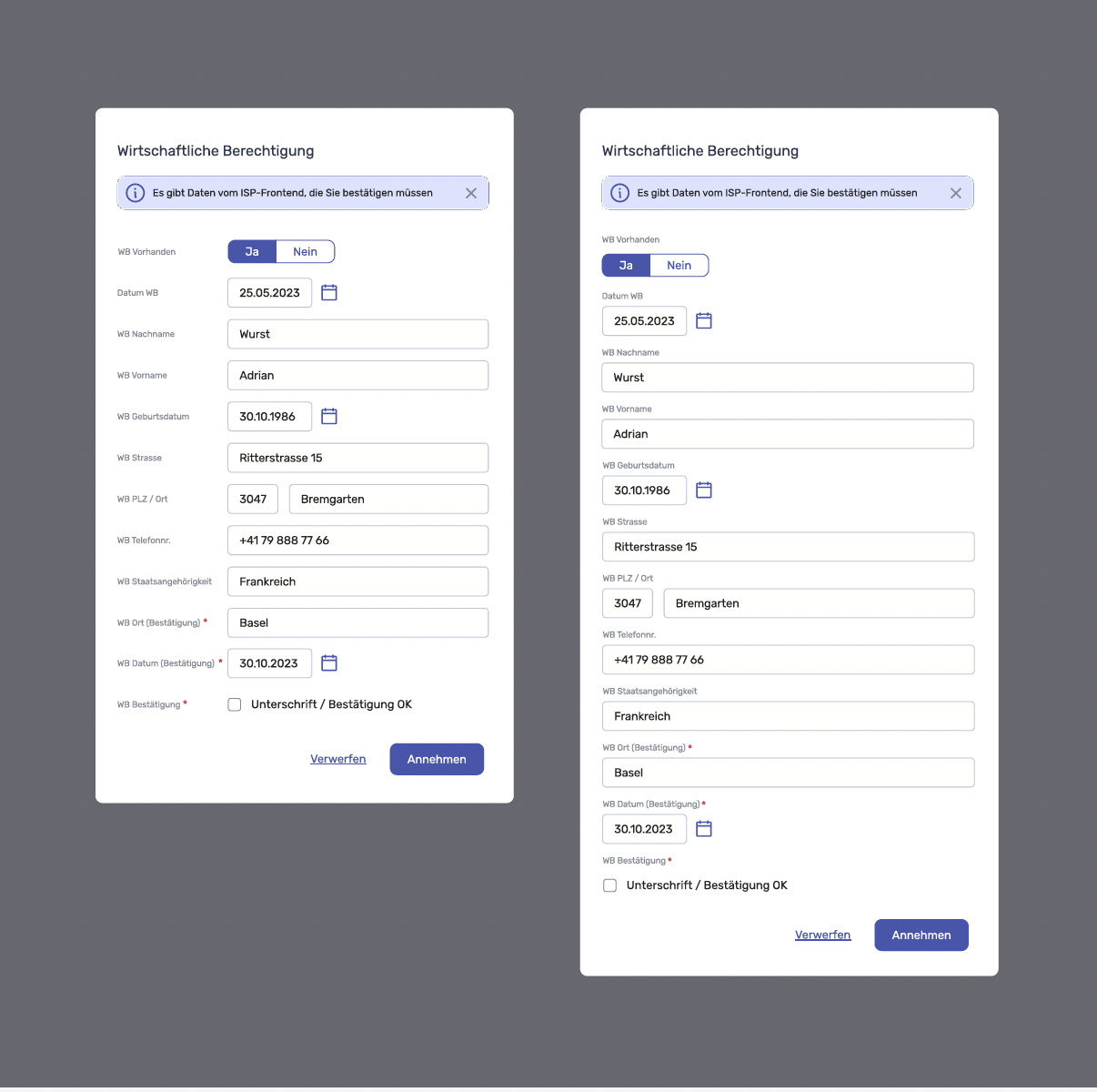
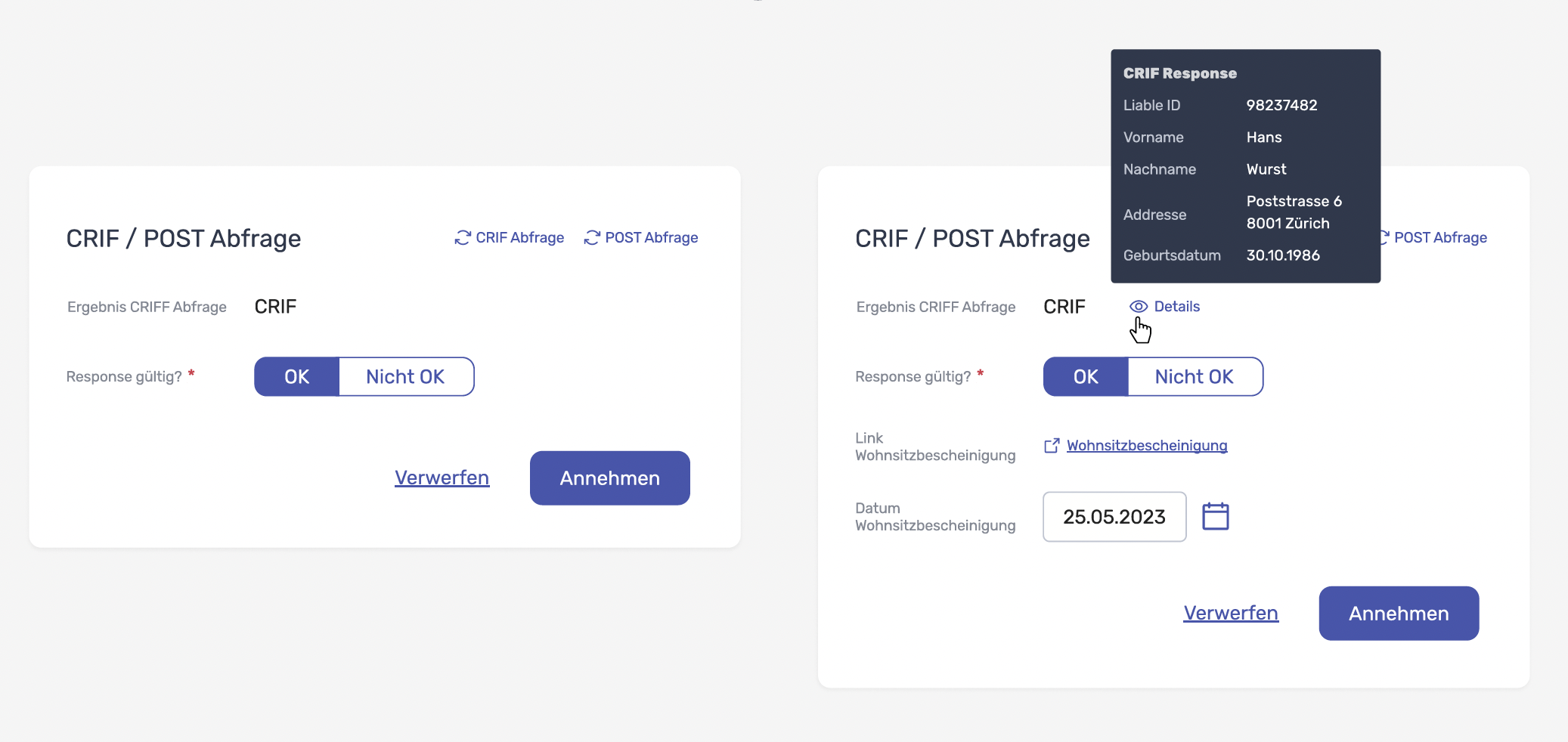
• Component-based interface layout (tables, detail views, forms, dialogs)
• Interaction patterns for creating, editing, validating and documenting cases
• Screen set for stakeholder alignment (Figma)
• Design handover-ready UI structure (not a fully interactive prototype)
Role
UX/UI Designer — UI system, component design, screen flows, stakeholder alignment
Tools
Figma (UI + screen-based prototype), requirements mapping from Excel, early low-fi flow validation (Balsamiq)
Project Context
Swisslos required a structured desktop interface for regulated case workflows, driven by detailed Excel-based requirements and strict terminology. The project was highly constraint-based: precision mattered, stakeholder feedback was granular, and delivery was time-boxed.
The Challenge
Translating dense Excel requirement logic into a usable, consistent UI structure
Keeping terminology and validation states traceable across screens
Delivering under tight scope constraints while maintaining system clarity
Approach
Requirement parsing: mapped Excel fields, dependencies, required states and validations into UI groups.
UI structure: defined a consistent pattern: list → detail view → actions → dialogs/confirmation states.
Component logic: designed reusable modules (tables, forms, upload sections, status blocks) to keep the system scalable.
Stakeholder alignment: produced a screen set that made workflows discussable and reviewable — fast.
Interaction Decisions & Best Practices
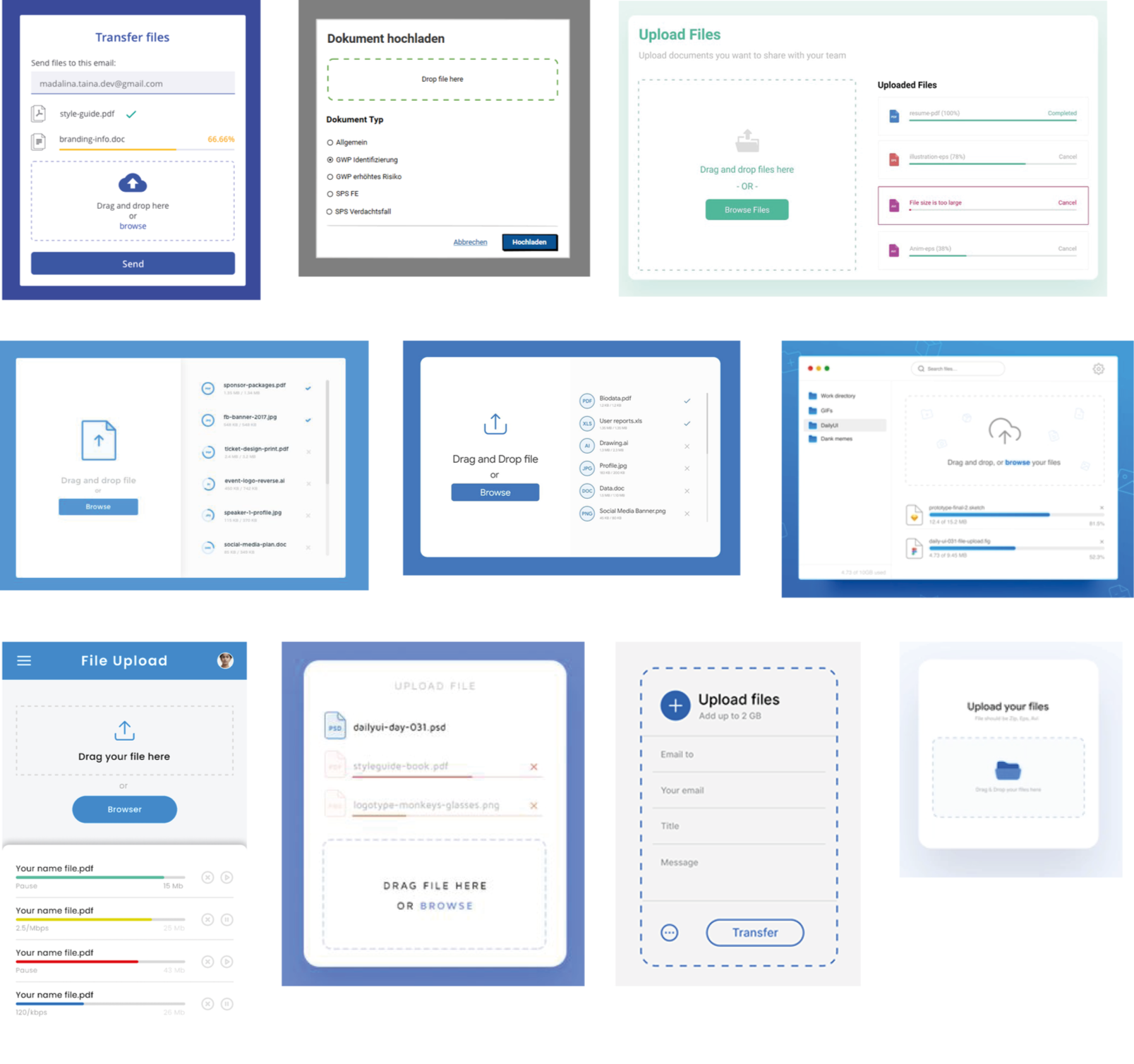
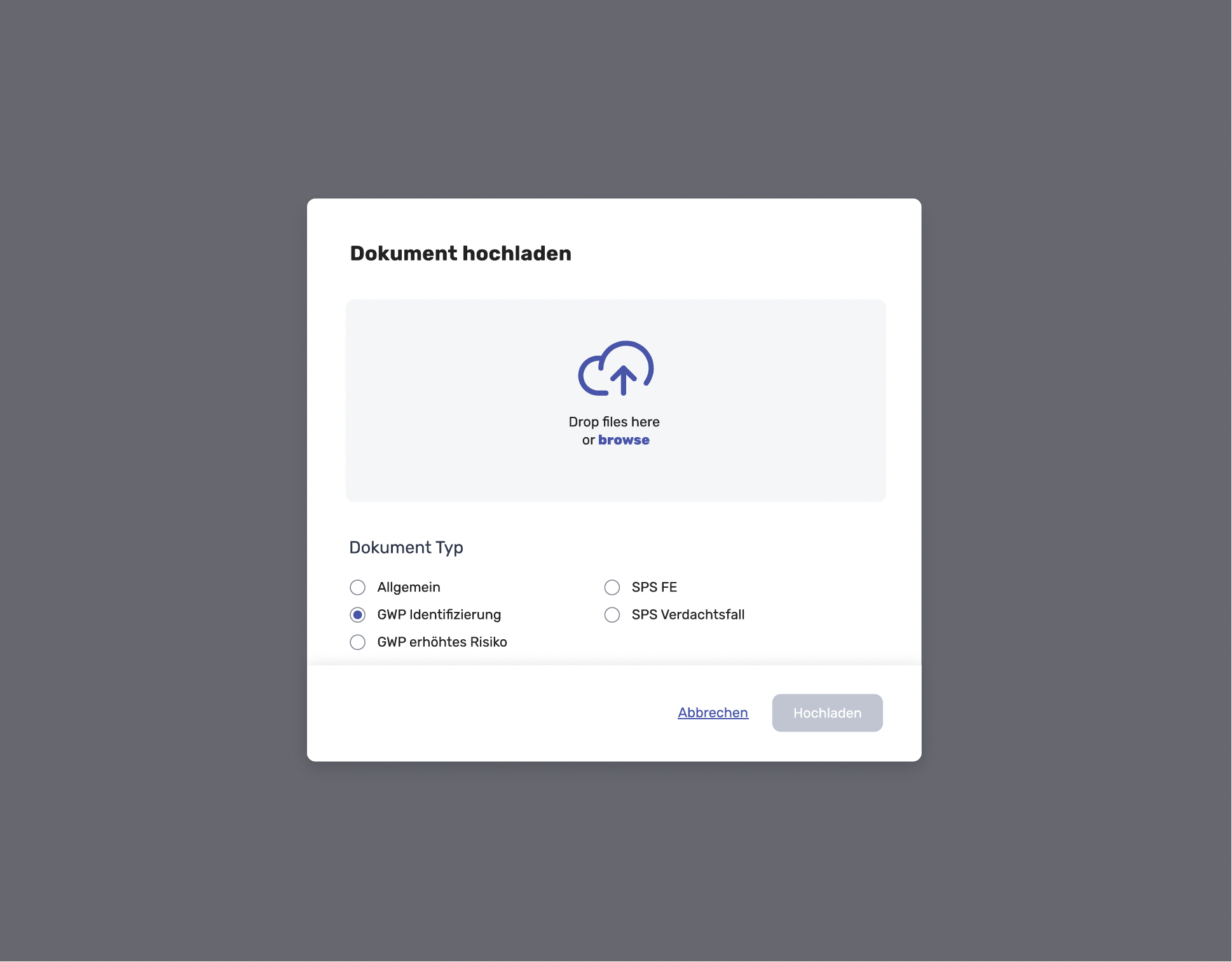
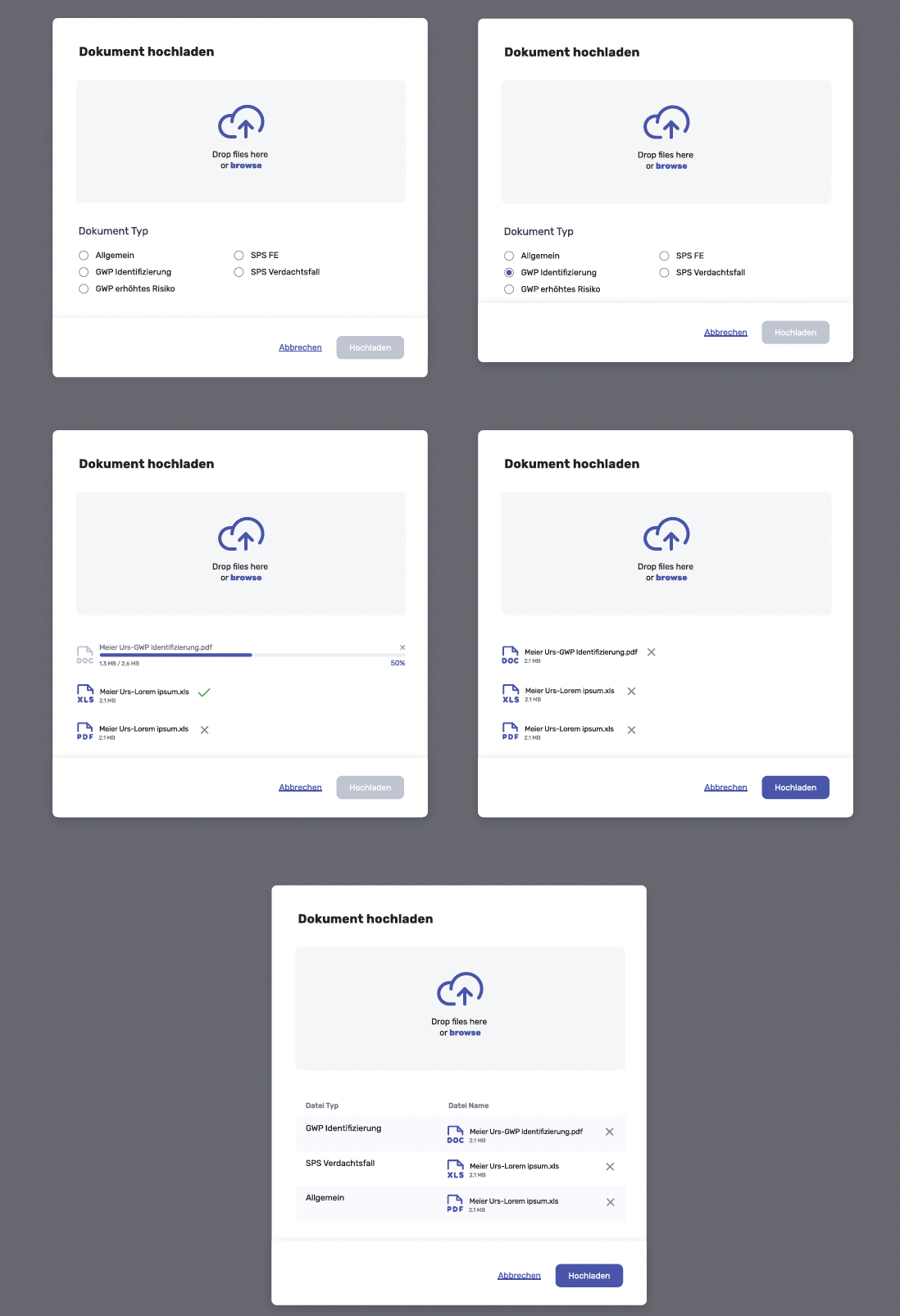
As document handling was a central workflow element, I researched established enterprise patterns for drag-and-drop file uploads to ensure familiarity and reduce friction.
The goal was to:
Support bulk uploads
Provide clear file-type categorisation
Make upload states transparent (progress, validation, success/failure)
Align with common enterprise UX standards
The resulting modal pattern follows a structured, status-driven interaction model rather than a basic file input field.
Solution: Desktop UI Structure
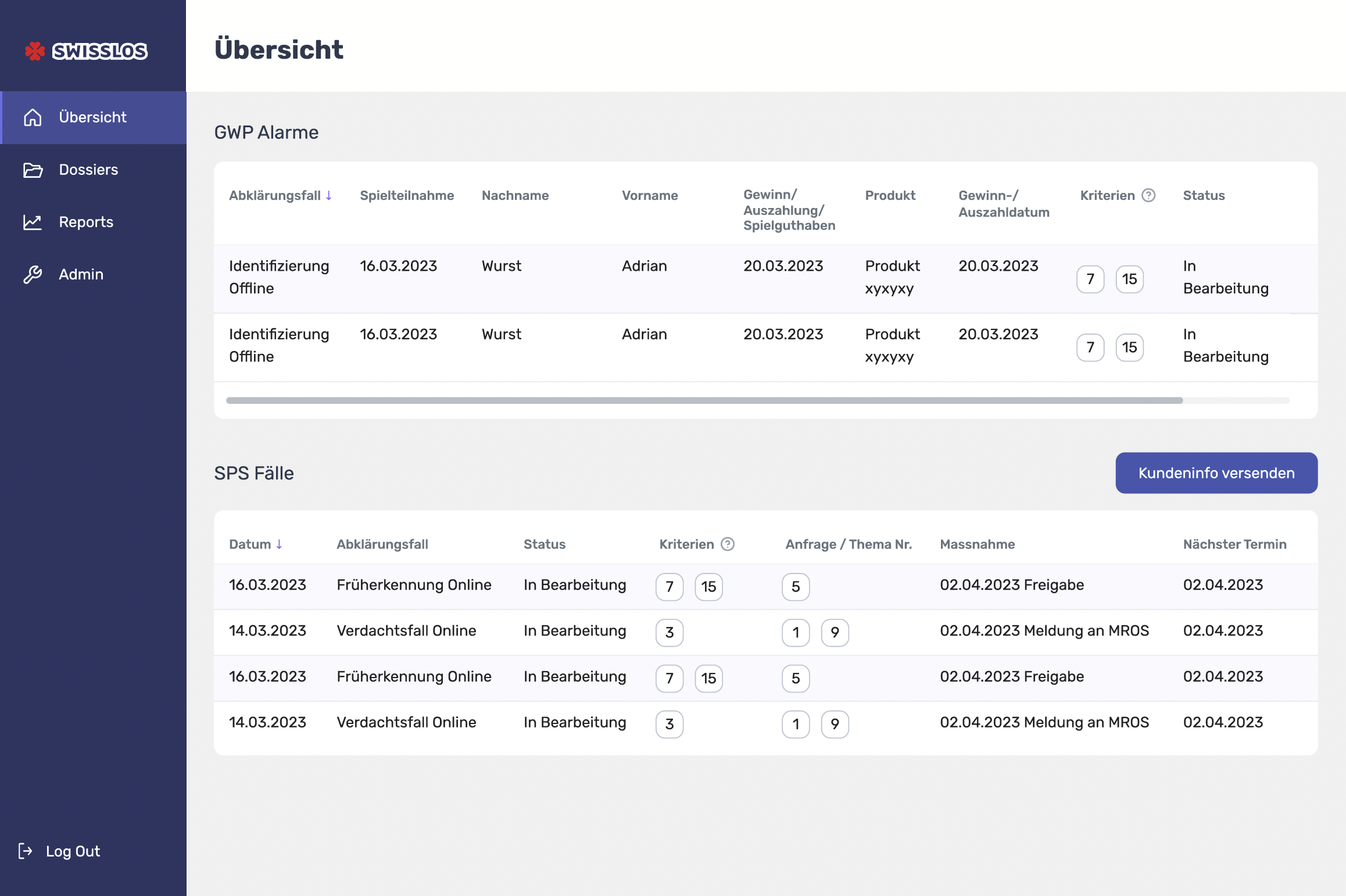
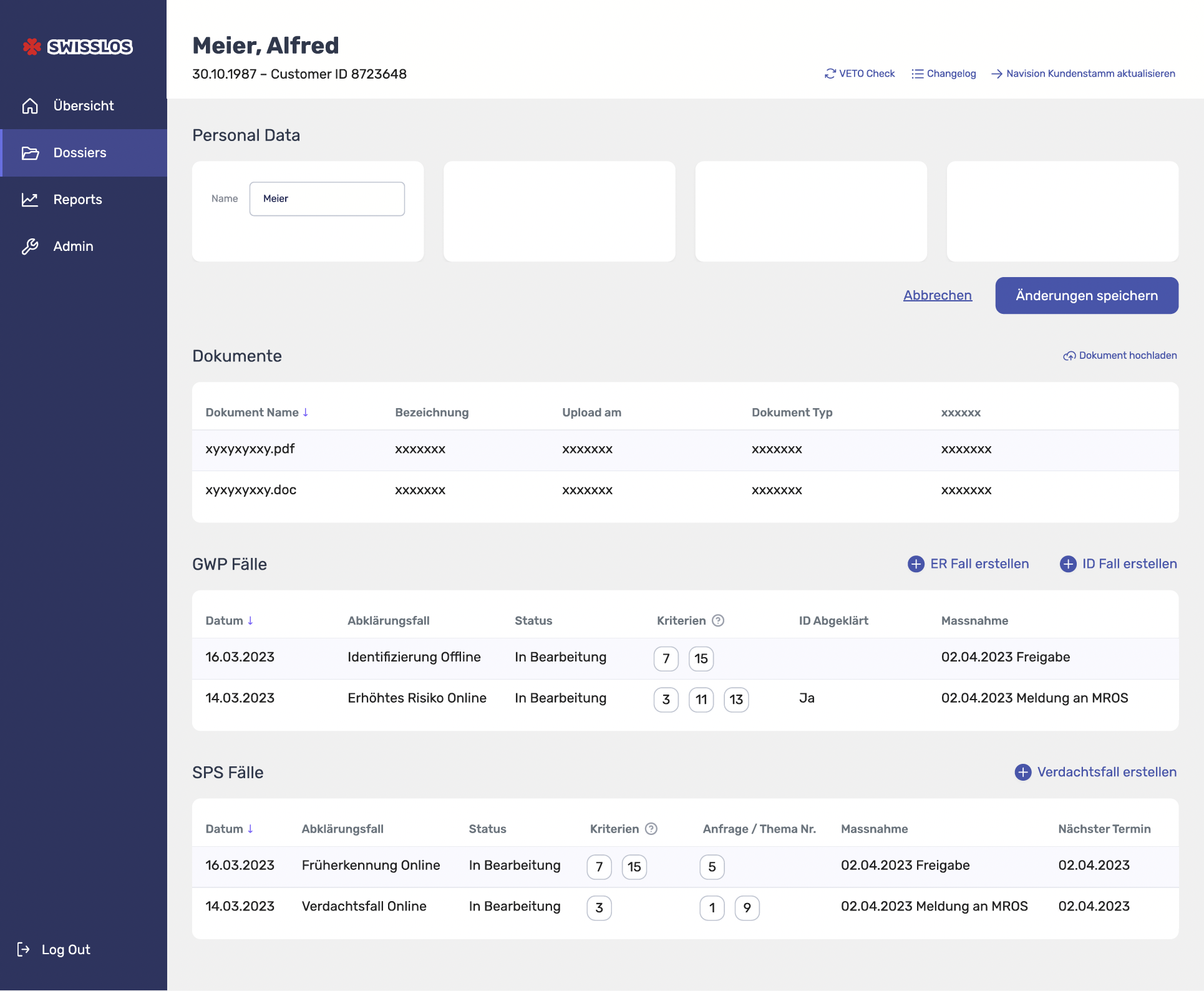
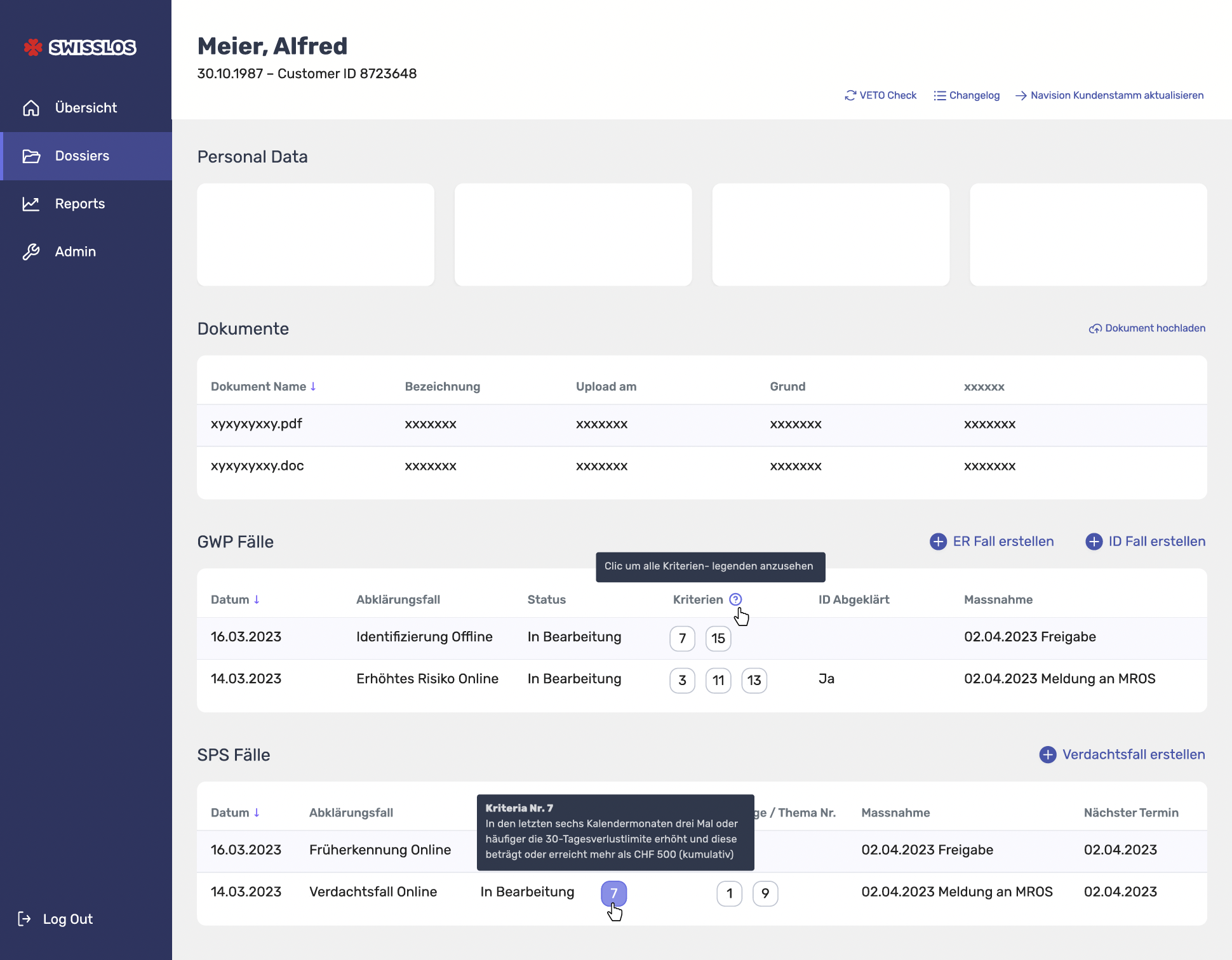
A structured, desktop-first interface based on a clear navigation hierarchy: dossiers, case types, and step-based detail screens.
Key patterns included:
Dossier overview tables with filtering and quick access
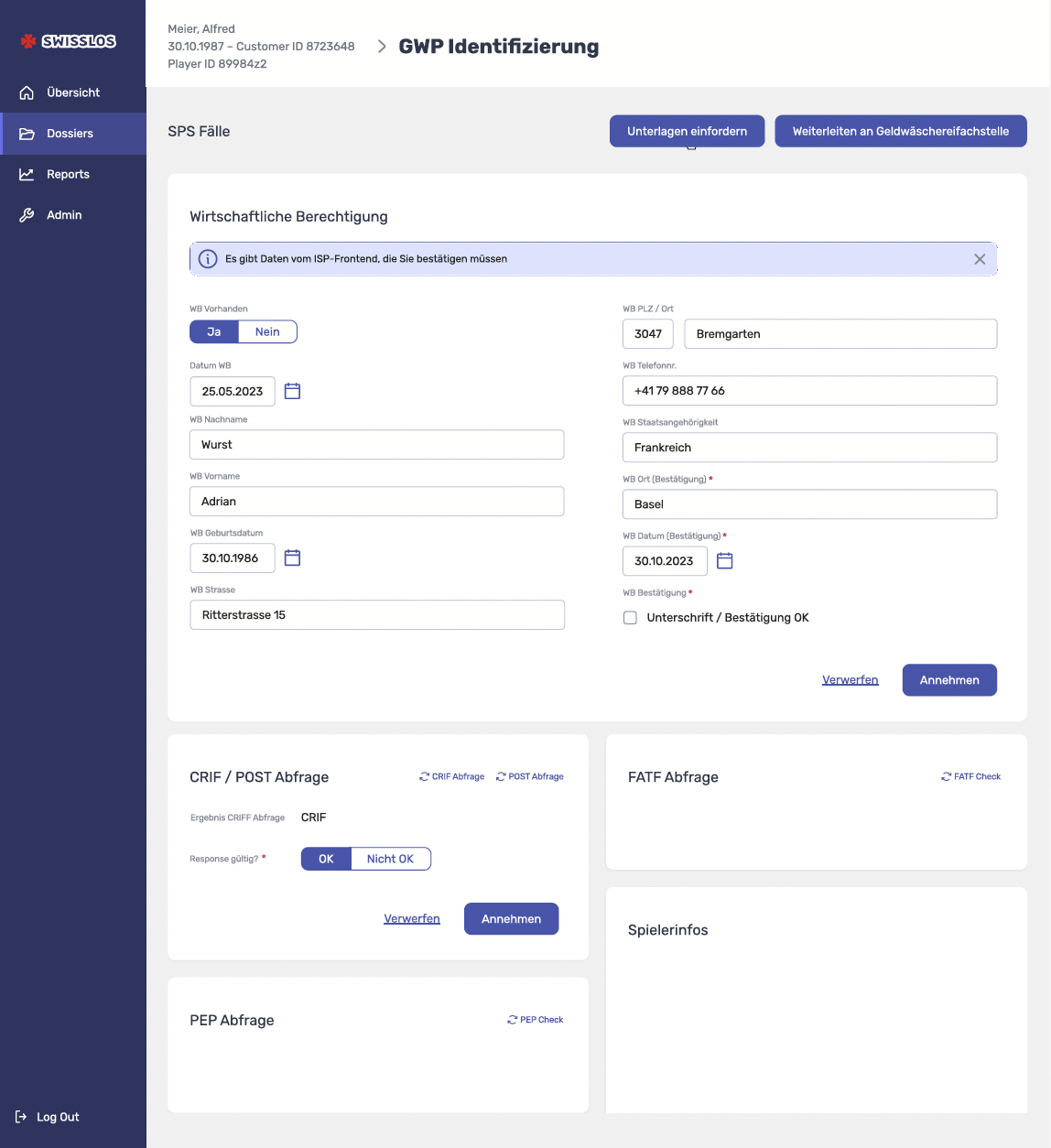
Detail pages for structured case data and documentation
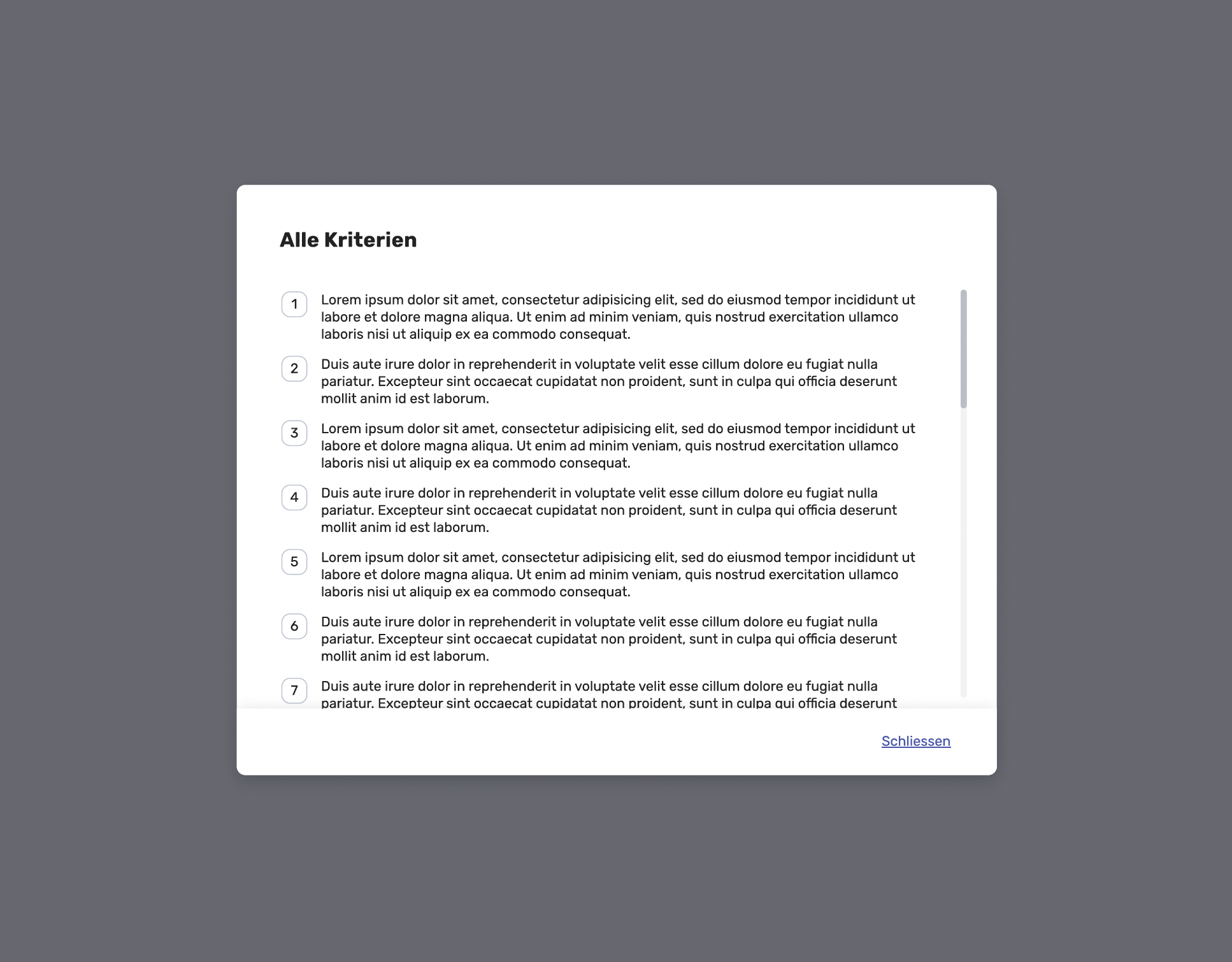
Dialog-based actions (request documents, forward, confirm save, edit/delete)
Status & validation cues to support regulated decision-making
Outcome & Take Aways
Created a structured UI foundation translating regulated Excel logic into a consistent desktop interface
Enabled faster stakeholder review by making workflows visible and discussable
Established reusable component patterns suitable for scaling into development
Take Aways
Process clarity comes first: aligning the flow early prevented rework later and helped unify stakeholder expectations.
Desktop-first was the right fit: the workflow complexity and information density made mobile a poor primary solution in this context.
In regulated environments, consistency wins: reusable UI patterns and clear validation states reduce interpretation risk and speed up execution.
Prototype Note
The delivered prototype was intentionally screen-based rather than fully interactive, due to strict project scope and timeline constraints.
Its purpose was to validate UI structure, component logic and workflow clarity with stakeholders — and to provide a solid foundation for implementation.